Retire the whiteboard, the rent spreadsheet and the check chasing
See every slip by dock, bill the whole marina in one run, and let boaters pay from a text.
No card to start. The sample marina opens without signing up. Works with QuickBooks Online and Stripe.
Good morning. 4 done, 27 to go.
- Tide Runner is past its leave dateCheck out
- Blue Heron arrives todayCheck in
- 17 charges not yet billedReview
Set up a marina map in a minute
This sample marina already has Dock A. Draw Dock B and the slips appear, then move, resize or rename any of them and press Publish. Nothing is saved.
Click a slip to pick it, then drag it, pull the corner dot to resize, or the round dot to turn it. Arrow keys nudge.
Why switch
Try it before you sign up
The sample marina opens with no account and no sales call.
Boaters pay by bank for $0.00
Card surcharges are your choice and start switched off.
QuickBooks stays your books
MMS sends it one balanced summary a day. No retyping.
No setup fee, no contract
Start free. Leave whenever you like.
Built by someone who has worked the docks
Our founder has spent years on the docks, running slips, chasing rent and fixing what breaks on a busy Saturday. The founder has also worked for some of the top names in marina software, so they know where small marinas get left out. MMS is the software they wished their own marina had.
- Years on the docks
- Inside top marina software
- Made for small marinas
- Free$0
- Starter$49
- Pro$149
- Enterprise$299
A month, billed yearly. Unlimited slips on every plan. 60 days of Pro to start, no card. Text-message add-on: $19 a month with 500 texts, then 3¢ each. Available on every plan, including Free.
See pricingRent day, start to finish
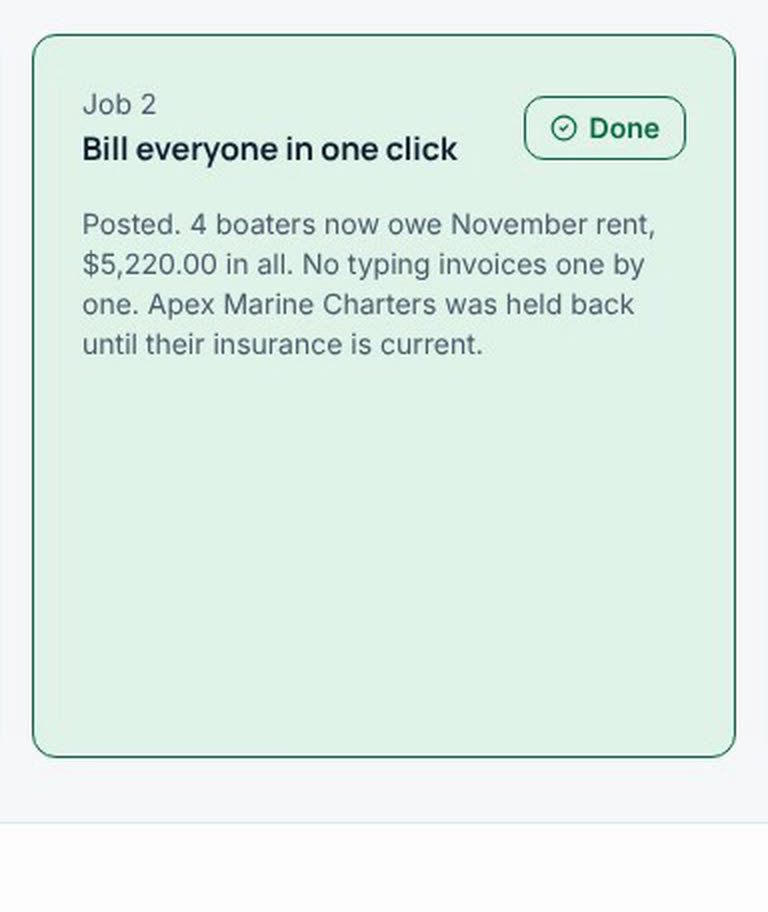
Run the month's billing
Preview the whole month's bills, then post them in one click. No more typing invoices one by one.
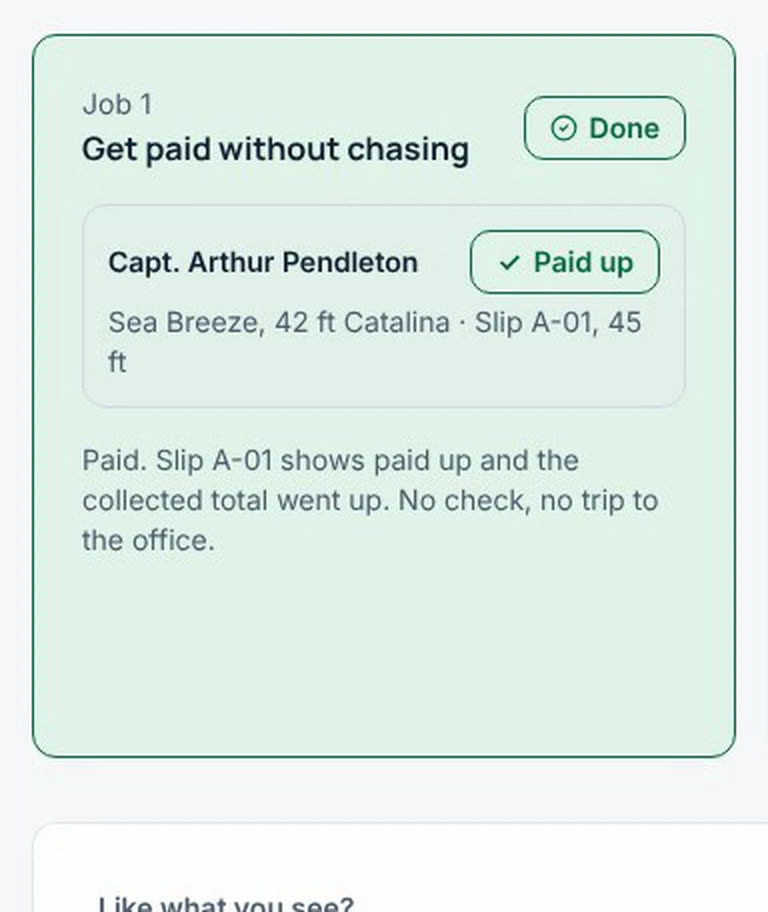
Boaters pay from a link
Send a pay link and the slip shows paid up. No more driving checks to the bank.
Recorded in the sample marina, which uses made-up boaters and amounts.
Everything a small marina office does, in one place
Slips and boaters
- Slip list and Virtual Marina MapIncluded
- Warns when a boat is too longIncluded
- Waitlist with depositsIncluded
No more redrawing the whiteboard.
Billing
- Monthly billing run you previewIncluded
- Late fees and meter billingIncluded
- Contracts signed onlineIncluded
- Daily QuickBooks summaryIncluded
The whole month's bills in one run, and no more typing invoices into QuickBooks.
Getting paid
- Pay links and boater portalIncluded
- Autopay on every planIncluded
- Cash and check entryIncluded
- Dock register for walk-up salesIncluded
No more driving checks to the bank.
60 days of Pro, free. No card.
Then keep the Free plan, or pick a paid plan from $49 a month billed yearly.
- No card to start
- 60 days of Pro
- Unlimited slips on every plan
Verified Capabilities
We believe in total transparency. Here is exactly what is live in production today.
- Monthly billing run: Slips by dock, boaters and boats, with prorated move-ins.
- Daily QuickBooks summary: MMS keeps every boater balance and sends balanced daily summaries to QuickBooks Online.
- Stripe Connect boater payments: Zero-fee ACH payments ($0 fee to boater unless configured with optional cap) and card processing.
- Cash and check desk entry: Record a payment against an open invoice and make the bank deposit.
How payments and fees work
Card and bank processing rates, on every plan: Bank (ACH): 1%, never more than $7.50. Card: 3.5% + 30¢.
- Bank (ACH) payments cost boaters nothing. You can add a small fee of your own if you want to.
- You can pass card costs on to boaters with a credit card surcharge of up to 3%. It stays off until you turn it on, you check your own state rules first, and debit and prepaid cards are never surcharged.
- Autopay only starts when the boater says yes, and they can turn it off any time in their portal.
- Payouts begin once Stripe has verified your business, as with any card processor.
Common questions
Do I need QuickBooks Online to use MMS?
No. MMS works on its own. If you use QuickBooks Online, MMS can send it a short daily summary so your books stay current. If you don't, you still get your reports and CSV downloads, and you can connect QuickBooks later.
How do boaters pay their monthly slip fees?
They get a text or email with a payment link. They tap it and pay by card or bank transfer. No account or password. Boaters pay nothing extra for a bank transfer unless you choose to add a small fee.
Does it cost my boaters extra?
Not unless you decide so. Bank transfers cost boaters $0 by default. A card surcharge is optional, starts switched off, and is never charged on debit or prepaid cards. Cash and checks you record cost nothing.
Can boaters set up autopay?
Yes, if they choose to. Autopay is always the boater's own opt-in, and they can turn it off any time from their payment page.
Why does payment setup need a quick check?
Payouts are subject to provider verification and underwriting review by Stripe Connect, the same check any business bank account gets. It usually takes a few minutes of your time. Until it is approved you can explore everything and import your data.
Can dockmasters use MMS on their phones?
Yes. It works on any phone, tablet or computer, with big buttons you can tap with a glove on a dock.